
Why BuilderKit Is Built on Angular Material


In this post, I want to talk about the whys and hows behind BuilderKit and Angular Material. I will try to answer the following three questions.
- Why did I choose to re-skin Angular Material instead of creating my own components from scratch?
- How manageable and maintainable is this approach?
- If Angular Material is that good, why does BuilderKit still include custom components?
So without further ado, let us get started.
Why did I choose to re-skin Angular Material components
When I first started working with Angular Material back in 2015, it was a brand new library with a lot of potential. Combined with the then very popular Material Design language, it was the obvious choice if you were building something with Angular, or more accurately AngularJS at the time.
It had its strengths, but it also came with plenty of issues. We had to rely on workarounds, hacks, and in some cases build our own alternative components because of bugs and missing features.
We have come a long way since then. Today, Angular Material, Angular CDK, and Angular Aria form a very solid foundation that lets you build almost any component you can imagine. You can still run into odd edge cases or decisions that do not fully match your mental model, but those moments are rare and usually solvable. Keep this in mind, because I will come back to it later.
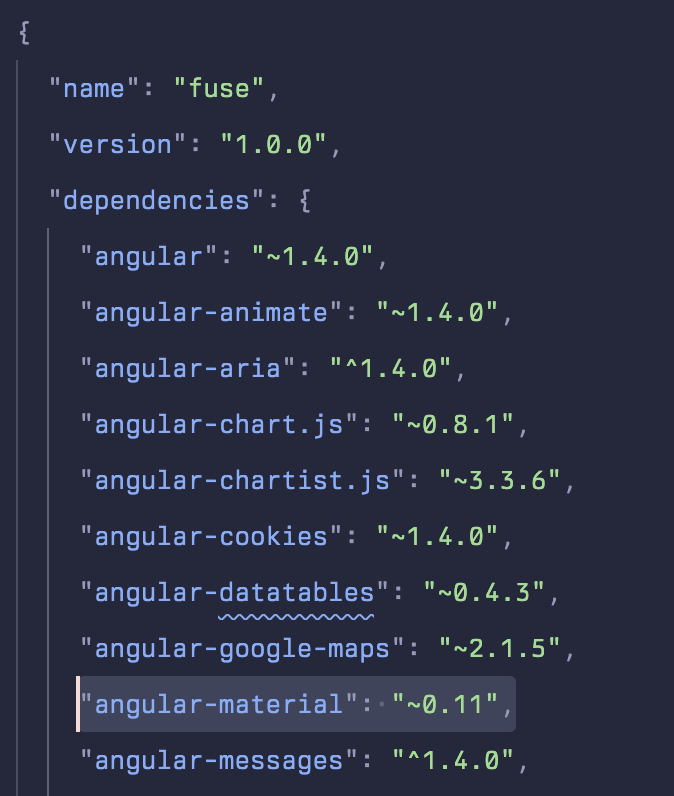
So why did I want to build my own styles on top of Angular Material? This is not something that started with BuilderKit. Even in the earliest versions of the Fuse Angular template, we were already modifying Angular Material components to fix incompatible styles or simply make them look better.
Over the years, Angular Material has become a very powerful component library, largely thanks to the sheer number of people using it and contributing feedback. That said, Material Design itself is not for everyone. This is especially true if you are building desktop focused applications for larger screens. Material Design is optimized for touch, which means larger components and generous spacing. On big displays with precise pointers, this often feels unnecessary and sometimes even clumsy. Building desktop first applications with Angular Material has always felt slightly off to me.
That is where BuilderKit comes in. The idea behind re-skinning Angular Material is simple. I took an already powerful and battle tested library and aligned its design and styling with modern desktop focused design trends. That is BuilderKit in a nutshell.
How manageable and maintainable is this?
For me, it is quite manageable. I have been doing this for years and I am very familiar with how the Angular Material team ships updates and introduces changes. Over time, I have also built internal tools that help me track and compare every change they make. This allows me to understand what changed, why it changed, and how it affects BuilderKit.
That said, this approach can become messy very quickly if you are not closely following updates or if you do not have a proper playground to test real world use cases across all components. If your main goal is simply to build an application, keeping up with all of this becomes extra work. Eventually, you end up maintaining your own custom layer just to stay compatible with upstream changes.
This is exactly why I wanted to turn BuilderKit into a product. I can focus on tracking changes, fixing issues, and adapting to new additions, while others can focus on building great looking applications without worrying about compatibility or maintenance overhead.
If Angular Material is that good, why does BuilderKit have custom components?
The answer is simple. To prove my point.
If you look at the custom components, you will see that they are called Advanced Components. Internally, I think of them as composite components. That is actually what they were called in early versions of BuilderKit. I later changed the naming to make their purpose clearer, but the idea stayed the same.
These components are built by composing Angular Material, Angular CDK, and Angular Aria together. Not every component uses all three, but each one relies on the existing ecosystem instead of reinventing the wheel.
This alone demonstrates how powerful this trio really is. You can build almost anything on top of it.
Earlier in the post, I mentioned that I would come back to how capable Angular Material really is. Here is a concrete example. At the time of writing this post, the latest addition to BuilderKit is the Sheet component. Angular Material already provides a Bottom Sheet component, but as the name suggests, it is limited to the bottom of the screen. I wanted a flexible slide in sheet that could appear from any side, so I decided to experiment.
What surprised me was that I managed to build the Sheet component using only MatDialog. Even more surprising was how much flexibility the Angular Material team had already thought through. From helper directives that work even inside ng-template, which is especially annoying to build given how embedded views work and their injector limitations, to configurable animation durations, everything was there. There is even position specific configuration, which made me wonder if some kind of sheet like component was planned at some point. Maybe it still is.
This once again highlights how much thought and care goes into Angular Material, Angular CDK, and Angular Aria, and how powerful they are when used together.
Final thoughts
I will continue doing what I enjoy the most. Improving BuilderKit, adding more content, and staying on top of upstream updates. I genuinely enjoy giving these already powerful components a fresh coat of paint and showcasing what they are truly capable of.
If you have any questions or suggestions, feel free to reach out to me on X at @sercan.
Cheers