
Why UI Kits and Templates Still Matter in the Age of AI
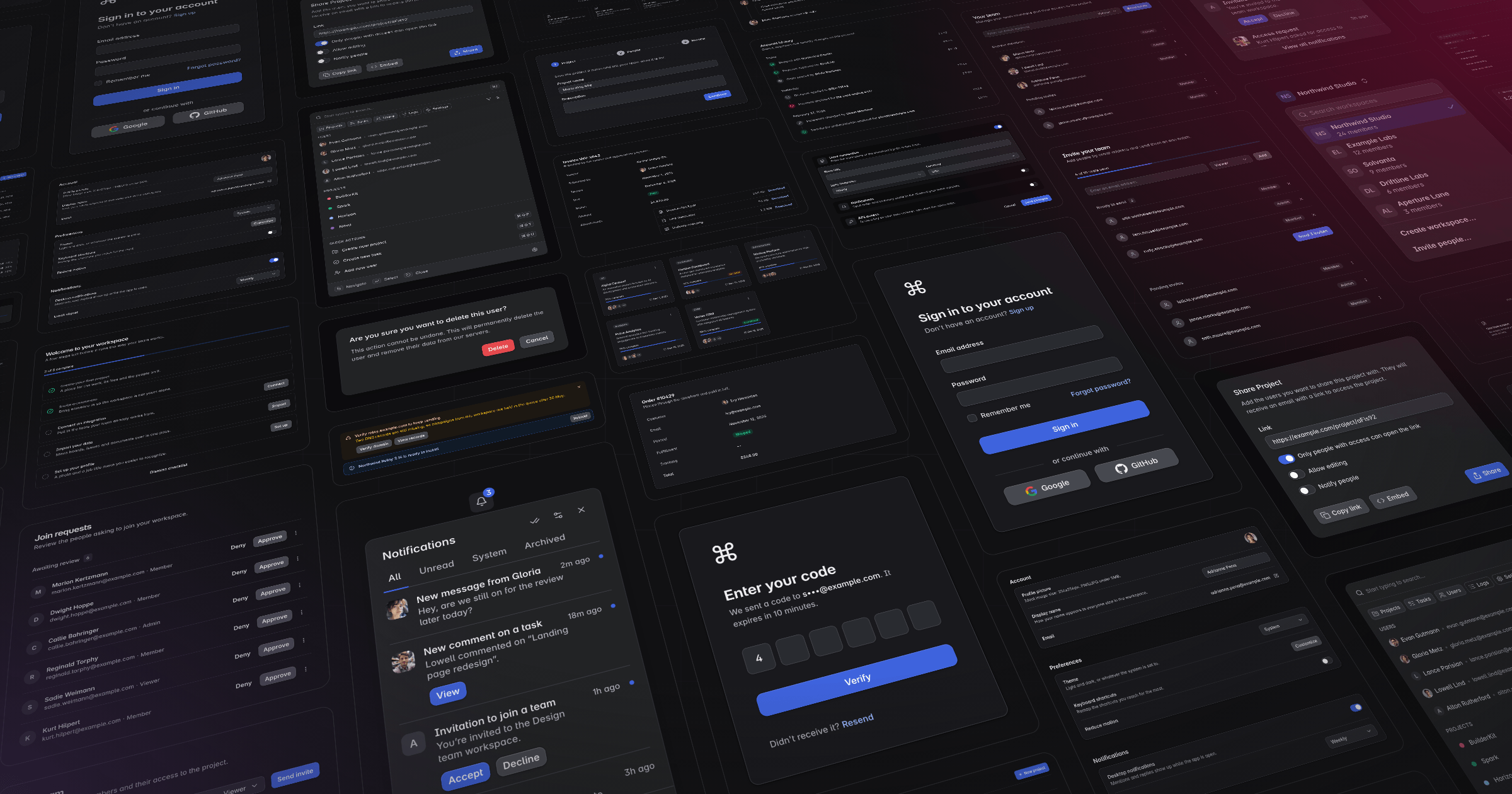
AI has completely changed how we build applications. Tasks that used to take hours can now be completed in minutes, and we can generate entire pages, components, and even applications with a couple of prompts.
As someone who has spent a good part of his career building UI kits and application templates, you might expect me to be worried about all of this. After all, why would anyone need a UI kit or a template when AI can just build everything for them?
Well, I've been experimenting with exactly that while working on BuilderKit, and my experience has been quite interesting.
In this post, I want to talk about why I believe UI kits, blocks, and templates are not becoming obsolete. If anything, I think they're becoming even more useful.
AI is great, but it has its quirks
I don't write nearly as much code myself as I used to. These days, I spend a lot more time guiding AI agents, reviewing their work, and making sure everything fits together properly.
And while they're incredibly capable, there's one thing that keeps bothering me.
They love to steer away from instructions.
You can give an agent a detailed set of guidelines, an AGENTS.md file, skills, and all the context it could possibly need. It will follow them for a while, and then suddenly decide that a particular page needs a completely different layout, different spacing, or some custom component that already exists in your project.
Sometimes the result looks great on its own. That's not the problem.
The problem is that it doesn't look like it belongs in the same application.
A button might have a slightly different height. A card might use different padding. A form might have a completely different structure from the one you used on the previous page.
These are small things, but they add up quickly. And if you're trying to build a polished application with a consistent design language, you end up spending quite a bit of time fixing them.
I call this babysitting, and I've been doing a lot of it.
Instructions are not always enough
One thing I've noticed is that written instructions can only take you so far.
You can describe how a settings page should look, which components to use, how much spacing to apply, and how everything should behave. But there's still plenty of room for interpretation.
Think about it. Even when working with another developer, you wouldn't expect them to reproduce an entire design system perfectly just by reading a document.
You would give them access to existing components, examples, and previously implemented pages so they could understand how everything fits together.
Why should AI be any different?
This is where I think UI kits and blocks become particularly interesting.
Instead of telling an agent how something should look, you can show it how you've already done it.
And from my experience, that makes a pretty big difference.
Rebuilding Fuse with BuilderKit
Recently, I started rebuilding Fuse using BuilderKit's core and the previous Horizon template as a foundation.
For those unfamiliar with Fuse, it's an Angular application template I co-created back in 2015. Over the years, it has grown to include all kinds of application designs, pages, layouts, and UI patterns.
My goal was to bring Fuse into the BuilderKit ecosystem while taking advantage of everything I've built over the past year.
Naturally, I wanted to see how much of this work I could hand over to AI.
Initially, I provided the agent with BuilderKit's components, existing layouts, and a set of instructions. The results were good, but I still had to intervene quite frequently to fix inconsistencies and steer things back in the right direction.
Then I started giving it access to the blocks.
That's when things started getting interesting.
Instead of building everything from scratch, the agent could look at existing implementations and use them as a reference. It already had examples of how certain elements should be structured, how components should be combined, and what kind of styling to follow.
I still had to babysit it, of course, but noticeably less than before.
And things got even better as Fuse started taking shape.
The more examples, the better
Once I had rebuilt a good portion of Fuse, I started using it as another source of truth alongside BuilderKit's components and blocks.
This made a much bigger difference than I initially expected.
As I continued adding pages, application designs, and different UI patterns to Fuse, the agent had more and more examples to work with.
Need a settings page? There are already several implementations it can refer to.
Need a table with filters, actions, and pagination? There are existing patterns showing how those pieces fit together.
Need a new application layout? Instead of coming up with something completely new, it can follow the same structure and design language used throughout the project.
The interesting part is that these examples don't necessarily have to match what you're building exactly.
They just need to provide enough context for the agent to understand the design language and the decisions behind it.
Of course, having more examples doesn't automatically guarantee better results. The agent still needs access to the relevant ones, and those examples need to be consistent themselves.
But in my case, as the collection grew, I found myself correcting fewer styling decisions and spending more time on the actual features I wanted to build.
At that point, it became pretty obvious to me that this was the way forward.
So, where do UI kits and templates fit in?
Traditionally, UI kits and templates have been about saving development time.
Instead of spending days building navigation systems, styling components, or putting together common application layouts, you could start with something that already had those problems solved.
That's still true today, but I think AI adds another dimension to their usefulness.
UI kits used to save developers from writing repetitive code. Now they can also save AI agents from repeatedly making the same design decisions.
A well-designed block isn't just a collection of HTML elements and CSS classes. It represents decisions about spacing, typography, hierarchy, responsiveness, and how different components work together.
A template takes that further by showing how those decisions apply across an entire application.
And a consistent design system, whether it's built from scratch or based on something like Angular Material Themes, provides the foundation that ties everything together.
With BuilderKit, I've been trying to bring these pieces together. The custom Angular Material styles provide a consistent foundation, the components handle common functionality, the blocks provide reusable UI patterns, and the templates demonstrate how everything works in real applications.
Originally, I built these things to make developers' lives easier.
I didn't expect them to become just as useful when working with AI agents.
Final thoughts
I don't think AI is going to make UI kits and templates disappear. At least not anytime soon.
If anything, my recent experience rebuilding Fuse has convinced me that having a large collection of well-designed, consistent examples is incredibly valuable when working with AI.
Does this mean you can't build a beautiful application with AI alone? Absolutely not. You can, and the results can be impressive.
But building a beautiful page and maintaining a consistent, polished experience across an entire application are two different things.
You can spend your time repeatedly explaining your design decisions to an agent, correcting inconsistencies, and asking it to stop reinventing things that already exist.
Or you can give it a solid foundation to work with.
I'll take the second option.
And that's exactly what I plan to continue doing with BuilderKit. Building more components, more blocks, and more complete application examples that both developers and AI agents can use.
Thanks for reading.
Cheers

Building BuilderKit, co-creator of Fuse. Follow along on @sercan.